
Listen to this article
Genesis of the Digital Twin for Recipes
Key Takeaways
-
An equipment recipe contains more than a file name. It can include parameter settings, sequences, structure, contextual information, and control data needed by production equipment.
-
A digital representation makes vendor-specific recipe content easier for engineers to interpret, compare, and manage through a standardized workflow.
-
Central visibility supports controlled reuse and comparison of recipe components while preserving the context in which each recipe is intended to run.
-
A recipe model must still be validated against the production environment and equipment behavior before it is released for runtime use.
Equipment recipes define how semiconductor production equipment executes a process, but vendor-specific file structures can make their content difficult to interpret and compare. This Work Smarter video shows how a structured digital representation gives engineers a consistent view of recipe parameters, sequences, and manufacturing context before production release.
What a Digital Twin for Recipes Represents
A digital twin for recipes is a structured digital representation of an equipment recipe, including its recipe body, parameters, sequences, relationships, and applicable manufacturing context.
Within recipe management, this representation gives engineers visibility into both what a recipe contains and where it is intended to be used. It does not replace validation on the production equipment. Instead, it provides a controlled basis for interpreting, comparing, approving, and transferring recipe content.
Table 1. Core Elements Represented in a Recipe Digital Twin
| Recipe Element | What it represents |
| Recipe body | The physical or vendor-specific recipe file used by the equipment |
| Parameters and sequences | The settings and process logic that define equipment execution |
| Manufacturing context | The applicable product, lot, process step, layer, equipment or equipment type |
| Reusable components | Shared recipe objects or sub-recipes linked to the appropriate contexts |
| Governance information | Version, validation, approval and release information used to control production availability |
Making Vendor-Specific Recipe Content Visible
Recipe owners need to understand what an equipment recipe contains and what has changed before approving it for production. This becomes more difficult in a multi-vendor fab, where equipment suppliers may use different recipe formats, structures, parameter names, and sequences.
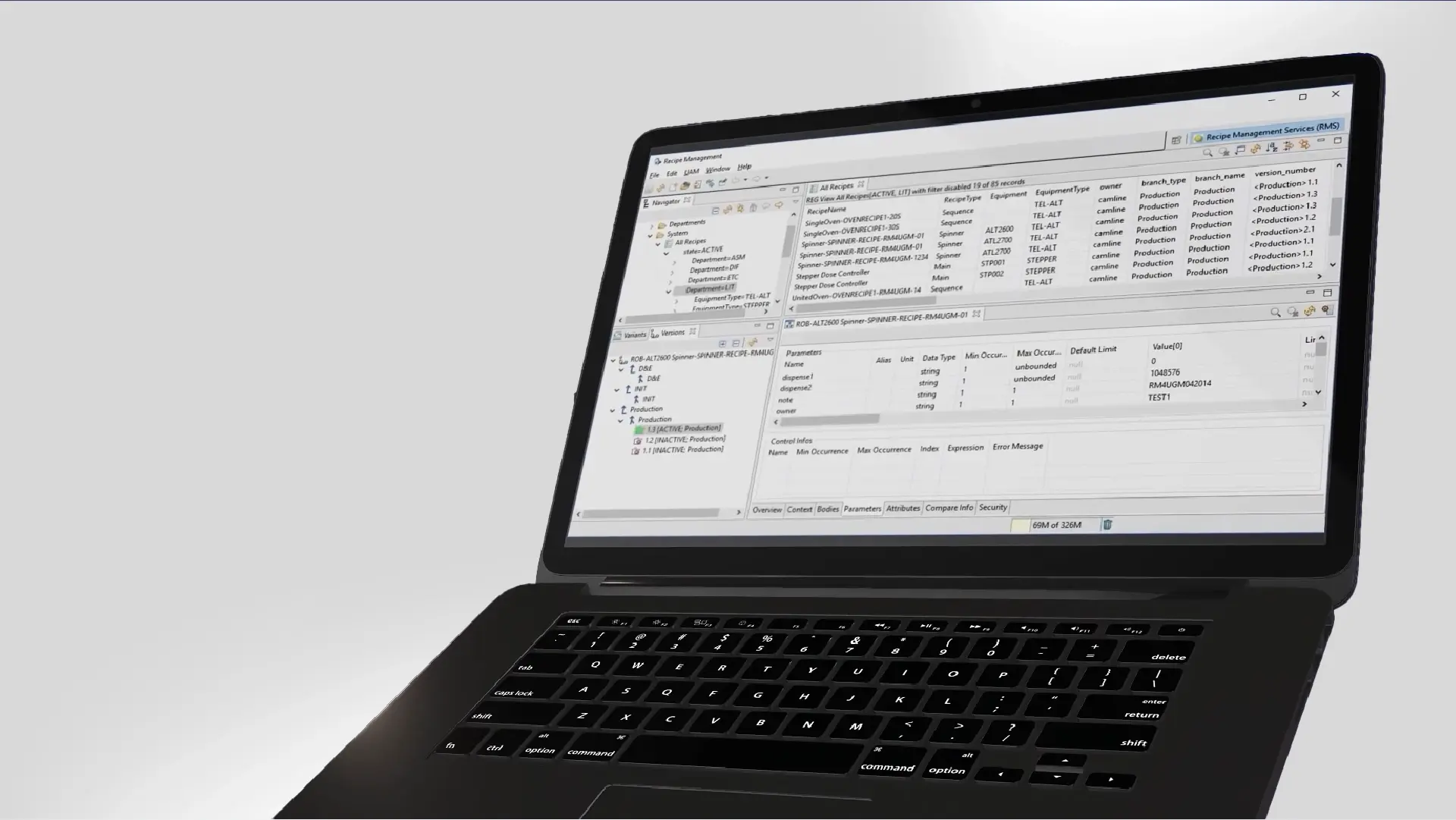
LineWorks RM can decode complex recipe bodies and present their contents through a consistent engineering view. Engineers can inspect recipe structures and compare parameter values without relying only on file names or manually reviewing different vendor-specific formats.
The native equipment requirements still remain. The standardized element is the engineering view and governance workflow used to manage the recipes, not necessarily the underlying recipe-file format required by each tool.
Connecting Recipe Structure, Parameters, Sequences, and Context
Recipe content alone does not determine where a recipe can be used. Its intended application can also depend on manufacturing context such as the product, route, process step, equipment, equipment type, or lot.
A structured recipe model connects this context with the relevant recipe body, parameters, sequences, and linked components. This helps engineers distinguish reusable content from valid product-, process-, or equipment-specific differences.
By maintaining these relationships centrally, recipe owners can determine which released recipe definition applies to a particular production context and review the relevant content before runtime use.
Supporting Reuse, Comparison, and Controlled Validation
Where multiple recipes genuinely share the same content, reusable recipe objects or components can be maintained centrally and linked to the relevant recipe definitions. This can reduce duplicated maintenance and make approved changes easier to review across affected recipes.
Reuse should not be applied automatically. Recipe owners must understand which components are genuinely shared, which differences must remain tool- or context-specific, and how a change affects linked recipes.
Before release, the digital representation must be validated against the required recipe formats, manufacturing contexts, approval rules, transfer workflows, and equipment behavior. This ensures the modeled recipe remains consistent with what the production environment can execute.
.webp?width=740&height=416&name=camLine_Genesis%20of%20the%20Digital%20Twin_Graphic_202609_Internal%20(1).webp)
Recipe objects or components used by multiple recipes can be maintained centrally and reused. Comparison and validation help teams review changes and verify each recipe against production requirements before release.
Manage Recipe Digital Twins with LineWorks RM
LineWorks RM decodes vendor-specific recipe bodies and connects their structures, parameters, sequences, versions, and manufacturing context within a controlled recipe model. Explore how it supports recipe comparison, approval, reuse, and controlled release across multi-vendor equipment environments.
FAQ
Q: What is a digital twin for an equipment recipe?
A: A digital twin for an equipment recipe is a structured digital representation of the recipe file, its parameters and sequences, and the manufacturing context in which it is used.
Q: Why is recipe content visibility important in a multi-vendor fab?
A: Recipe content visibility is important because engineers need to understand and compare recipes across equipment from different suppliers before releasing them to production. Different file structures and naming conventions can make manual reviews difficult and increase the risk of overlooking parameter differences.
Q: How can reusable recipe components reduce recipe management effort?
A: Reusable recipe components reduce management effort by allowing shared content to be maintained once instead of copied into multiple recipes. In LineWorks RM, recipe objects and components can be reused while context rules preserve valid differences between products, process steps, and equipment. Recipe owners must still define who owns each component, how changes are approved and tested, and which recipes or production contexts are affected.
Q: What should a fab validate before using recipe digital twins in production?
A: Before using recipe digital twins in production, a fab should validate that LineWorks RM can accurately decode, represent, compare, and transfer the recipes required by its processes and equipment. Testing should cover the relevant:
- recipe formats, manufacturing context;
- version comparison, validation, approvals;
- runtime selection, transfer failures;
- tool-side changes, rollback;
- audit history, and access control.
These checks determine whether the digital representation and its governance workflow are reliable enough for controlled production use.